A milestone in creating expressions in my own maya script editor, along with previous features of splitting and deleting panes. Oh yeah and it will transfer your current scripting tabs over to the script editor.
In other news on coding this, I've been looking into the logging library and creating debug messages using those, which I found pretty funky as I can turn them on or off by setting the severity limit.
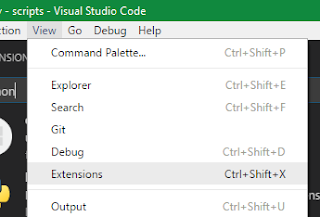
I've been testing debugging Maya Python scripts lately. Mostly focusing on free IDEs or editors such as PyCharm. So far this is one requires less setup in my opinion. This is mostly based off the remote python debugging functionality described here : Download and install Microsoft's free Visual Studio Code Install the official Python Extension Download ptvsd package as a zip Extract the ptvsd folder into your Maya scripts folder Open Maya and run (updated! Thanks Luciana !) import ptvsd ptvsd.enable_attach( address =( '0.0.0.0' , 3000 ), redirect_output = True ) Back in VSC, switch to Attach (remote debug) in the debug configurations and start it The editor should now look something like this You are now ready to debug. Note: here is the settings I use in launch.json Add break points, run your code and it should stop and populate the debug section of Visual Studio code when it hits a break point...
Almost forgot about the blog, my bad. Lately in our Major project, one of the areas I have been contributing to is the modelling of our environment asset, notably establishing the scale with proxy geometry which are all done in Maya. Scene environment work in progress The general proxy geometries of the steps, floors, doors, windows, etc. were quickly modelled. Then came the railing and the lamp-pillar at the start and end of every flight. Quick concept art of the railings and lamp-pillar that I work from, provided by our concept artist Paris Jones The pillars were first approached, modelled and UV'd. To offer the director a choice, I modelled the pillar in both of rectangular or cylindrical profiles of each individual pillar element so we can mix and match to formulate the final geometry. Using Maya 2015's UV tools felt a little better than previous versions e.g. able select UV shells in the UV texture like you would with faces, edges, etc was nice. Howeve...
.png)
Comments
Post a Comment